
(03) 9696 2944
(03) 9696 2944
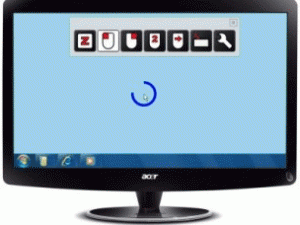
Dwell Clicker 2 is a Windows application that allows you to use a mouse or other pointing device without clicking buttons. Dwelling is resting the mouse-over on one area of the screen for a specified time. Using Dwell Clicker 2, you can left-click, right-click, double-click or drag, all without physically pressing a button. Combines well with QUHA Zono gyroscopic mouse and joysticks, headsticks, mouthsticks and alternative pointing devices.
Dwell Clicker 2 is a Windows application that allows you to use a mouse or other pointing device without clicking buttons. Dwelling is resting the mouse-over on one area of the screen for a specified time. Using Dwell Clicker 2, you can left-click, right-click, double-click or drag, all without physically pressing a button. It also has an on-screen keyboard.
The full version of Dwell Clicker 2, including advanced features such as target snapping, visual dwell display and click lock, is available for a free 30 day trial by clicking the link below. After the trial ends, you can keep using the free version with basic features. At any time during or after the trial, you can purchase the full version to continue using the advanced features.

Dwell clicking Dwell Clicker 2 allows you to use your mouse, or other pointing device, without clicking. You can dwell-click in the following way:
Target snapping Target snapping is a feature that makes it easier to click on specific elements on the screen. These elements include buttons, menu items and links. Target snapping works by detecting elements near the pointer that you might want to click on, and locking onto the nearest element.
Visual dwell display During a dwell, the dwell progress is displayed visually using a circular progress bar, which shows how much time is left before the point at the centre of the indicator is clicked. It also indicates whether Dwell Clicker 2 has “snapped” to a target.
Click lock After a right-click, double-click, or drag, the click type will revert to left click. You can prevent this by “locking” the click type. To lock the click type, select it twice.
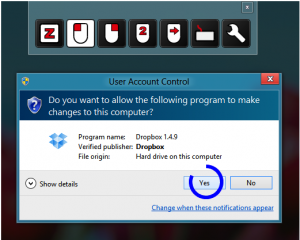
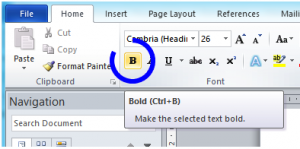
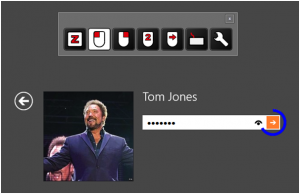
Dwell Clicker 2 helps you access all of your computer, and here are a few examples of ways it can help. (See IMAGES for screen shots)
Windows 7 or later
Dwell Clicker 2 Manual (PDF download)
| Part Code | Part Name / Description | Price | GST | |
|---|---|---|---|---|
| DC2-E |
Dwell Clicker 2 FULL VERSION
Dwell Clicker 2 FULL VERSION - electronic license only (download program to your computer / license code provided electronically) Please note the license is not generated automatically so is supplied during Australian business hours. |
$59 | $0.00 |