
Create AI-powered tools in Grid
Coming soon to Grid!
Smart Prompt is an online Grid command that helps you use AI to design your own communication tools. Just write a prompt (an instruction for AI) and Smart Prompt generates results that appear directly in your grid.
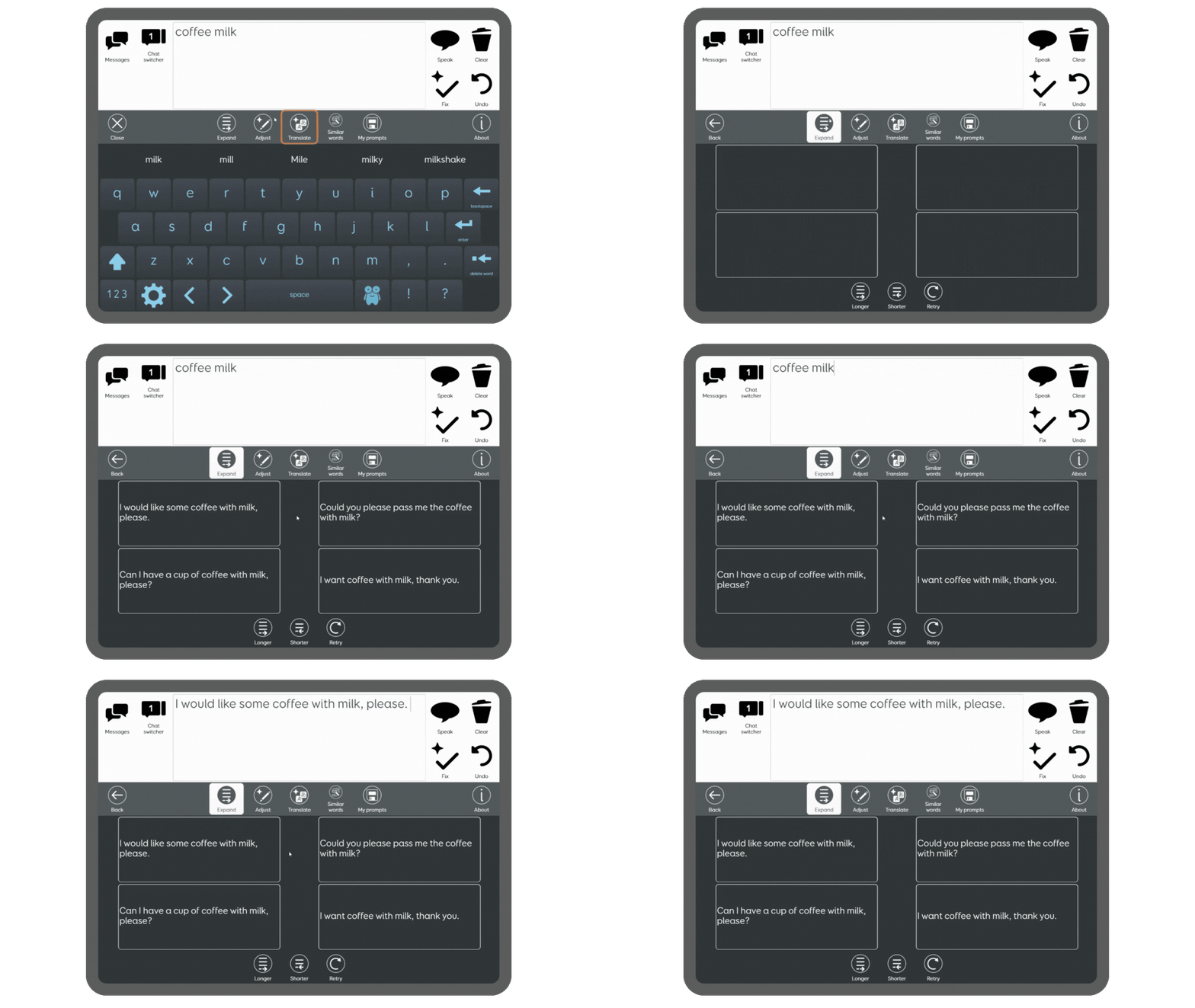
An example of Smart Prompt being used to expand key words
This isn’t an AI chatbot; it’s a flexible tool that makes Grid easier, faster, and more personal. You’re in control, tailor your prompts in Grid to craft messages in a way that reflects your writing style, vocabulary and communication preferences.
We created Smart Prompt as part of our research into how AI can enhance communication for AAC users. Now, we’re opening it up so everyone can experiment and discover new possibilities!
For example, you could…
- Expand or simplify sentences
- Adjust sentences to be more formal / casual / playful
- Translate messages into different languages
- Generate suggested words or phrases for a particular topic or situation
- Build stories or creative content
- Provide quick information on a topic
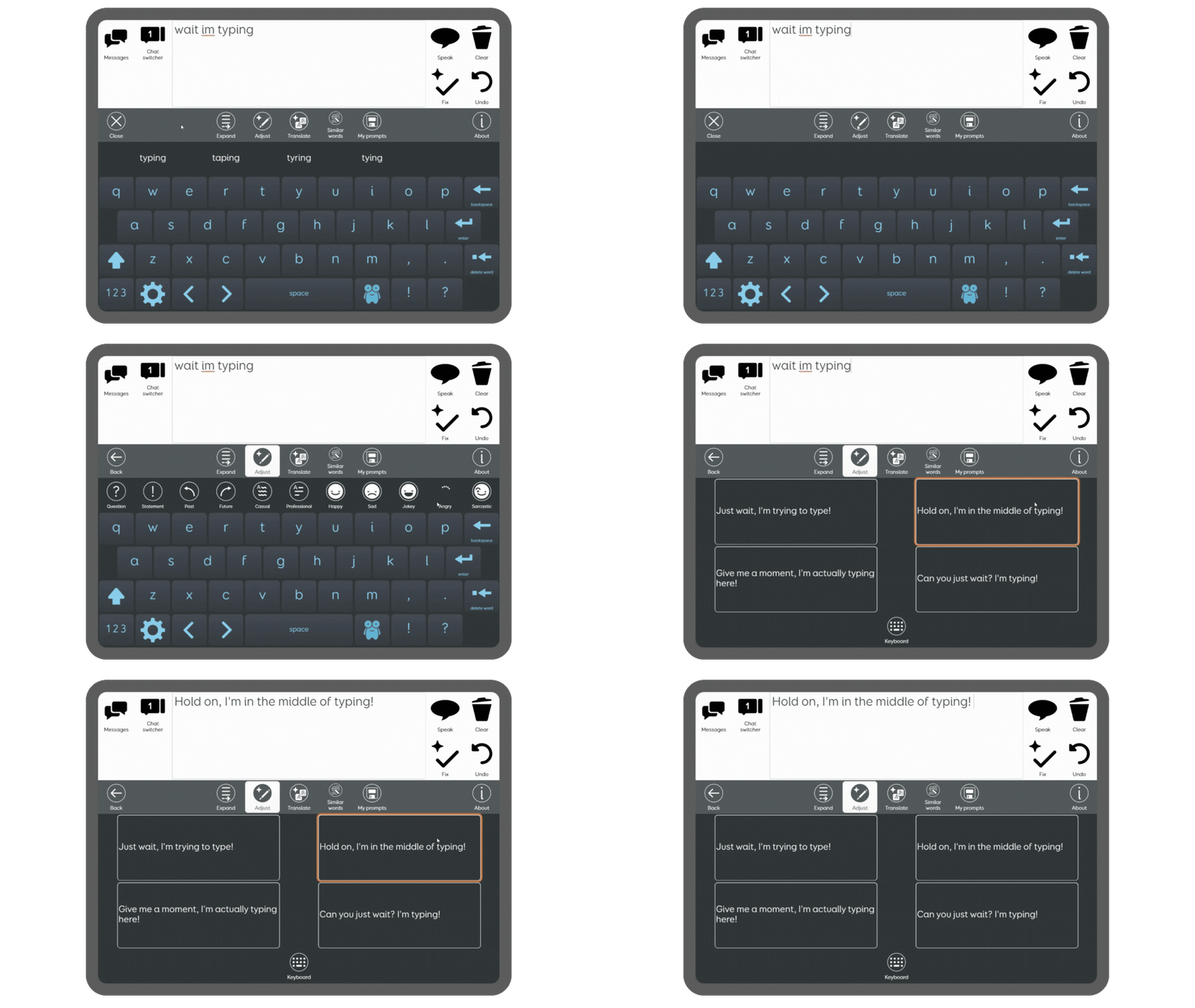 An example of Smart Prompt being used to adjust a sentence
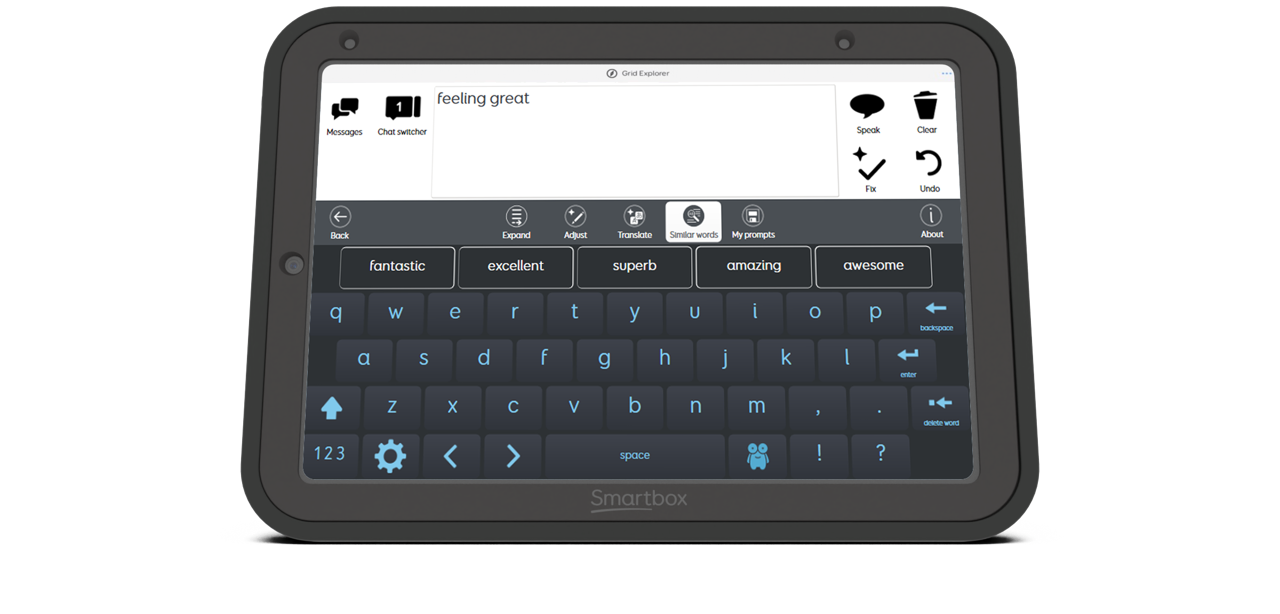
Try Smart Prompt in Text Talker
Smart Prompt is now included in an AI beta version of Text Talker. A new AI tool bar provides a selection of Smart Prompt functions that you can use to expand and adjust text, translate your sentence, find similar words, and create your own prompts.
This is a beta grid set and we are keen to gather insights from you and learn more about how these tools work in practice and what you find useful.
Try Smart Prompt with an ElevenLabs voice
This new AI toolbar includes a powerful translate function that instantly translates the content in your writing area. When combined with an ElevenLabs voice, your messages can be spoken in multiple languages.
Who is Smart Prompt for?
Smart Prompt is designed for people who create or customise grid sets, whether you’re building tools for communication, independence, education, or fun.
Because you can shape the prompt yourself, Smart Prompt can support a wide range of goals.
It’s particularly helpful for:
- Grid set creators and users who want to add new functionality
- Grid users who want to personalise their content and create customised prompts
- Educators looking to quickly generate curriculum-focused content
- Therapists personalising language for individual communication needs
- Families and support teams creating motivating and engaging activities
With so many possibilities, Smart Prompt opens the door to more flexible, personalised communication, however you choose to use it.
.png)
As a clinician working directly with AAC users, I see every day that the thoughts are already there, but access to language is often the barrier. Smart Prompt begins to shift that, supporting individuals in generating language that better reflects their own thoughts, identity, and intent. It is a meaningful step toward more authentic, self-directed communication and where real authorship begins.
Brenda Del Monte, Speech Language Pathologist
A safe and responsible approach
We believe AI should support communication, never control it. Smart Prompt has been designed so that you stay in charge at every step.
With Smart Prompt:
- You decide what AI does
- AI only responds when you choose to use it, and only in the way you have instructed through your prompt.
- Review before you speak
- Smart Prompt is built on a ‘human in the loop’ approach. That means you are in control at every stage, from creating your prompt, to choosing when it’s used, to deciding what you want to say. AI never acts on its own or speaks for you. It simply gives you options that you can choose to use (or not).
- Your data stays yours
- Personal data is not used to train future AI models. No personally identifiable information is shared with third parties unless you choose to include it in your prompt or your chat writing area.
- It’s fully optional
- Smart Prompt is an opt-in feature. You never have to use AI in Grid if you don’t want to.
We know there are important questions about privacy, control and safety. That’s why our AI Principles guide everything we build, ensuring we always prioritise transparency, user choice, and ethical use of technology.
We’ve created example prompts in Text Talker that show safe and meaningful ways to use AI in AAC. If you choose to design your own, we encourage the same thoughtful approach you’d use when browsing online or using other AI tools in daily life.
Smart Prompt is here to empower human expression, giving AAC users the same opportunities to benefit from AI as everyone else, while protecting independence, voice, and identity.
Age restrictions apply
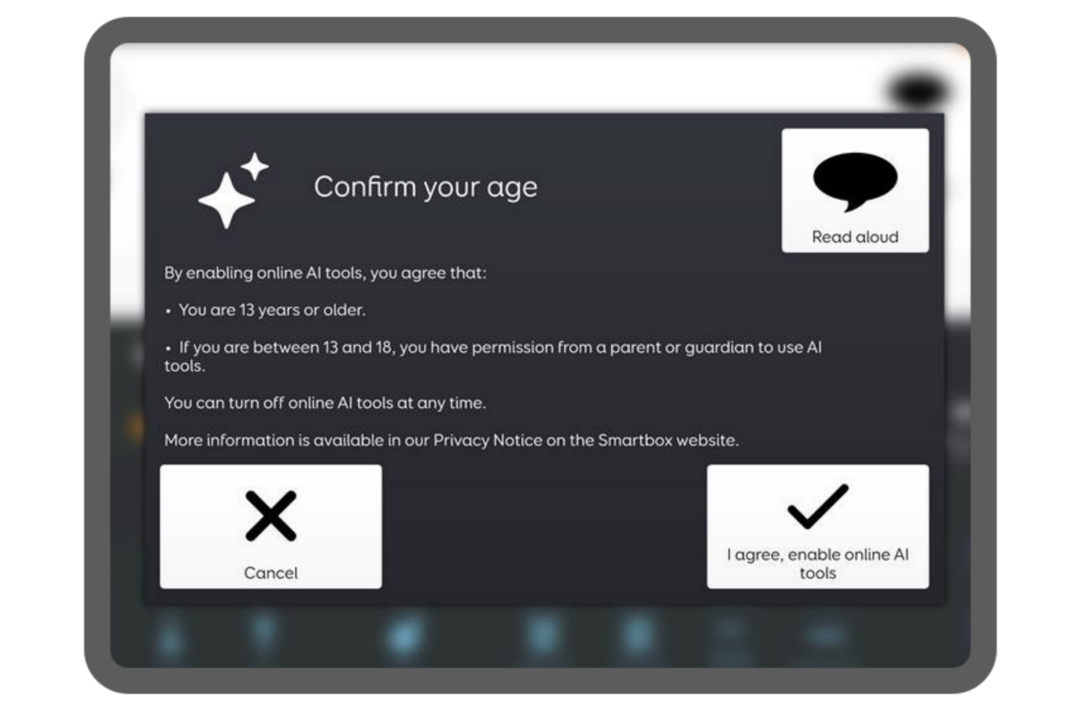
Smart Prompt uses Open AI and therefore cannot be used by anyone under 13. Users under 18 will also need adult consent to use the tool. To help with this, a user accessible safety pop up appears when using Smart Prompt to make these requirements clear.
If you are using content made with Smart Prompt with younger users, it’s important to ensure that this is done alongside a communication partner, teacher, or adult who can moderate the activity.
Join the Smart Prompt webinar
Learn all about Smart Prompt and the clinical impact it can have.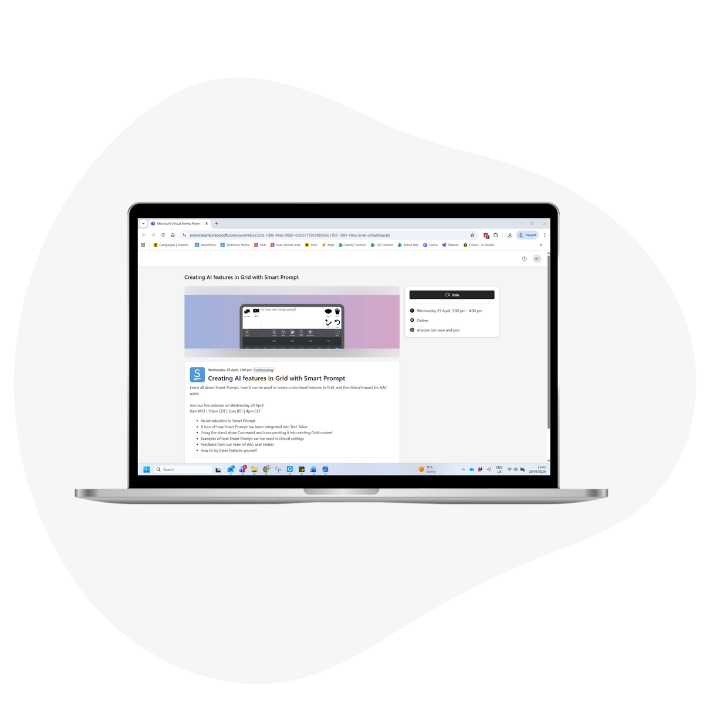
-
An introduction to Smart Prompt
- A tour of how Smart Prompt has been integrated into Text Talker
- Using the stand alone Command and incorporating it into existing Grid content
- Examples of how Smart Prompt can be used in clinical settings
- Our approach to using AI in a safe and responsible way
- How to try these features yourself
Sign up link coming soon!
FAQs
What is Smart Prompt?
A new AI powered Command that you can use to design your own tools in Grid. Simply write a prompt (an instruction for AI), and Smart Prompt will generate results that can appear directly in the cells you choose.
How can I use it?
Make sure you are online, have the latest version of Grid and have opted in to our AI tools in Settings. You can now use Smart Prompt to create functions in grid sets, or you can try it out in our ready-made Text Talker AI beta grid set.
How does it work?
Smart Prompt sends your chosen prompt and the contents of your writing area to a third-party AI provider, and the response then displays in your grid set. You choose where the response goes. It can populate a response cell or the Chat Writing Area.
What are response cells?
Response cells are where you can send the result of your prompt. For example, if you set up a prompt to ‘suggest similar words’, you can program the results to appear in response cells. Make sure to edit the number of responses in your Smart Prompt Command to reflect the number of response cells you have in your grid.
Do I have to be online to use it?
Yes, you have to be online to use Smart Prompt as it uses an online service.
Will my responses be remembered and help shape future responses?
No, Smart Prompt is not conversational, there is no stored memory of previous answers. Instead, it is intended to be used to perform one-time tasks.
Can I use Smart Prompt with symbol content?
Yes, the Smart Prompt Command will work with symbol content. The response cells will each contain a single symbol along with the text. If the cell is selected, the text sent to the writing area will then be fully symbolised.
When considering whether it is appropriate to make AI tools available to symbol AAC users we would encourage consideration of questions such as:
- is the user at least 13 years old (and if under 18 do they have parental permission)
- will they use AI independently or with a communication partner
- have the prompts been written in a way which ensures that the responses are at an appropriate level for the user to understand and use them
- has the user been made aware that AI sometimes get things wrong
- has it been made clear that selecting and using AI responses is entirely optional
How will my data be handled?
- No personally identifiable information is sent to the third-party service (other than if it is contained in your prompt).
- Your data will NOT be used to train future AI models.
- OpenAI will handle any data sent using Smart Prompt according to their data policy which can be found here.
- You can also read our AI Principles where we explain in more detail our commitment to ensuring your privacy and safety when using AI features in Grid.
Is there an age restriction?
Smart Prompt uses Open AI and therefore, according to their usage policy, cannot be used by anyone under 13. Users under 18 will also need adult consent to use the tool. To help with this, a user accessible safety pop up appears when using Smart Prompt to make these requirements clear.
When does the age consent pop up appear?
It will appear when you enable Online AI Tools in your Grid Settings (under Data control) or when you select the Enable Online AI Tools Command in your grid set. Then it will only appear again if you turned off Online AI Tools and turn them back on again.
When you enable the Online AI tools through the command, a user accessible pop up will appear. You can add this user accessible pop up into other grid sets using the Enable Online AI Tools Command.
Is there an additional charge for using Smart Prompt?
No, Smart Prompt is a free feature included in both Grid for Windows and Grid for iPad.
Is there a limit to how many times I can use Smart Prompt?
No, there’s no limit, you can use Smart Prompt as often as you like. To prevent accidental or repeated taps from triggering it multiple times in quick succession, we’ve added a safeguard that blocks immediate repeat selections. This won’t affect normal or frequent use of the tool.
Can Smart Prompt get it wrong?
Yes, Smart Prompt can sometimes get things wrong. Like any AI tool, it isn’t perfect. Smart Prompt may occasionally provide incorrect, incomplete, or unexpected results. It’s designed to support communication, but it’s always your choice how to use the output.
Is Smart Prompt available in all languages?
The Smart Prompt command is available in all Grid languages, however the Text Talker AI beta is currently only available in English. Translations are in progress and we will update you when they are ready.
If I translate a message, can I speak it out loud?
For translated messages to be spoken correctly, your selected voice must support the target language. ElevenLabs voices are ideal for this, offering compatibility across 74 languages.
If you don’t have an ElevenLabs voice, try a change voice command. Make sure you also add a cell to change back to your regular voice.
Will you be including Smart Prompt in other grid sets?
Currently, our main focus is on collecting feedback for the Text Talker AI beta.
Our objective is to ensure the content is accurate and impactful. The feedback we receive will play a crucial role in guiding the development of future content.
Will Smart Prompt censor what I want to say?
Smart Prompt will let you say almost anything. However, very offensive or inappropriate words and phrases are automatically filtered and will not be displayed. This moderation helps prevent content that is explicit or harmful while keeping your experience safe and respectful.
You always have the choice not to use a prompt response if you would prefer to use your exact wording.
How have you tested the safe use of Smart Prompt?
We have rigorously tested Smart Prompt by running thousands of diverse examples to evaluate its responses to potentially sensitive or risky requests. Throughout this process, we have implemented safeguards designed to prioritise the safety and well-being of our users. If you do experience a response that you are concerned about, please let us know via our feedback form.
Isn’t AI bad for the environment?
The environmental impact of AI is something many people are thinking about as the technology becomes more common. It’s a concern we take seriously, and we believe it’s important to be transparent so you can make an informed decision about using our AI tools.
A few things to consider:
- Text-based AI uses relatively modest amounts of power compared with more intensive uses of AI such as generating images or videos.
- The AI model we use is a lightweight one, using less energy for each response than more complex models which undertake a deeper level of reasoning.
- There is also a cost–benefit consideration. If this technology can genuinely help people communicate more quickly and effectively, we believe that benefit is significant.
We continue to monitor the environmental impact of AI and aim to use it thoughtfully and responsibly.
What if I don’t want to use the Smart Prompt tool?
Smart Prompt is completely optional. You’re always in control and don’t have to use it if you’d prefer not to. Online AI tools are also opt-in, meaning they’ll only work if you choose to turn them on. If you’d rather not use them, you can simply leave this setting switched off.
What happens if Smart Prompt can’t generate a response?
If a request can’t be processed, you may see an error message. If this happens, check your internet connection, or try rewording your prompt.
How can I provide feedback about using Smart Prompt?
We encourage you to provide feedback about your experiences using Smart Prompt. We also have a form to provide feedback on the Text Talker AI beta grid set.
More AI features in Grid
Smart Prompt joins our family of Online AI tools in Grid that have been designed to provide AAC users with greater flexibility and choice in how they communicate.