
Switch between chats in Grid!
Available now on Grid and Grid for iPad
Chat Switcher is a powerful command that makes it easy to move between conversations with a single click.
This could be helpful for multitasking, whether you’re working on two conversations at once or returning to an earlier draft after an interruption. For example, imagine you’re at a café chatting with a friend, with Chat Switcher, you can pause that conversation to place your order, then jump straight back to where you left off.
Available on both Windows and iPad, in Grid version 99 or above.
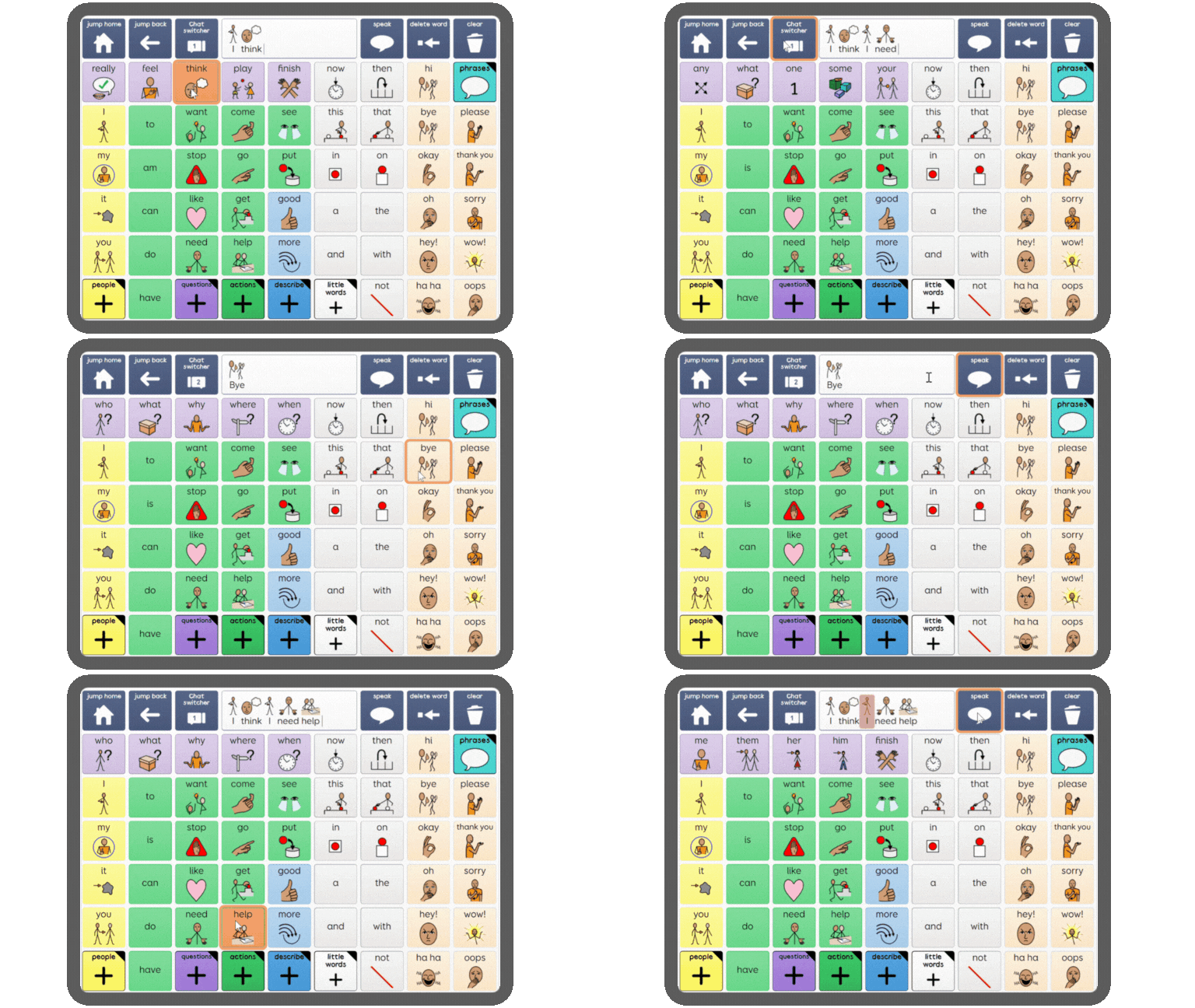
Add to any Grid set
The Chat Switcher command can be added to any grid set, whether that’s a symbol or text vocabulary.
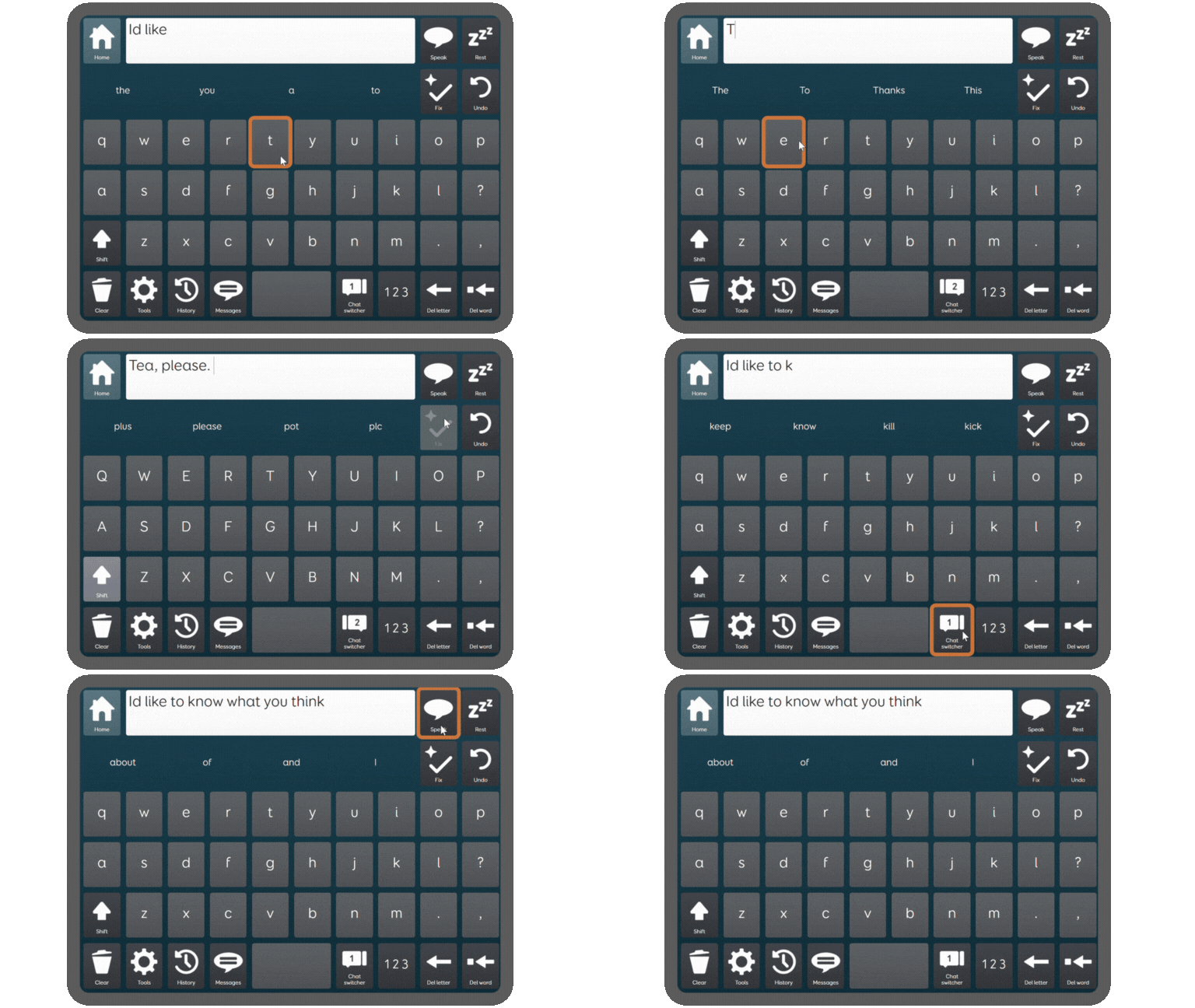
Now built into Fast Talker
Chat Switcher is now a standard feature built into the latest version of Fast Talker. Simply add a new version in Grid to start using it straight away.
FAQs
What is Chat Switcher?
A new command in Grid that makes it easy to move between two conversations with a single click.
How can I start using it?
Make sure you have the latest version of Grid and then you can add Chat Switcher to any existing vocabulary in Edit mode.
To do this, Select Create Cell – search for Chat Switcher – select OK – Finish Editing.
How do I switch between chats?
Select the Chat Switcher cell to go from using one Chat Writing Area, to another (maximum of 2). Your original chat will always be available to switch back to at any point, until you close the grid set.
The number on the cell lets you see which chat you are in at a glance. Features like Undo and Clear will only affect your current Chat Writing Area.
How do I get the new version of Fast Talker?
Chat Switcher is now a standard feature in the latest version of Fast Talker on Grid 3 for Windows. To get this grid set, go to Menu – Add grid sets – Text communication – Fast Talker grid sets.
You’ll notice that Chat Switcher has taken the place of Symoji, which is now available via the numbers and punctuation keyboard, or from Messages.
On Fast Talker Large Cell, you’ll find Chat Switcher on the Tools grid.
What is the Toggle Chat Switcher command for?
This allows you to assign Chat Switcher to a switch or a Smart Button (available on Grid Pad devices).
Is it available on Grid 3 for Windows and Grid for iPad?
Yes, Chat Switcher is available on both platforms.
Is it in all languages?
Yes it’s available in all Grid languages.